IT

Universo GMDSS Italia · Simulation Department

corsigmdss.it is the simulation department of gmdssitalia.it

This is where Universo GMDSS Italia brings into the classroom the very equipment students meet on exam day. Not videos, not photographs: living replicas of the VHF DSC, the MF/HF DSC, the Inmarsat-C and the Iridium GMDSS terminals, built from the manufacturers' manuals and checked key by key against the units in the exam room. Maritime schools and training centres rent them by the hour and use them from any computer, with an instructor panel that stages calls, alarms and failures.

Simulators for the GMDSS examination

The exam equipment,
identical.
Our simulators, ready for your classroom.

VHF DSC, MF/HF DSC, Inmarsat-C and Iridium GMDSS reproduced key by key from the official manuals and from the units used in the exam room, with the NAVTEX SAILOR 6391 and the FURUNO FAR-2228 ARPA radar trainer alongside them. Every key responds, every display lights up, every alarm sounds. Under each device sits the instructor panel, which generates calls, messages, alarms and failures as in a real exercise.

They run on any computer, with nothing to install, using the access code issued by Universo GMDSS Italia. No real radio or satellite transmission takes place.

Alarm
Call
DW
1W
16Int
US
Bl
Tx
MMSI: 236009680UTC: 12:00
Rx2182.0kHz
Tx2182.0kHz
SSB TELEPHONY
STATION⇧⇩RX TUNE
East AtlanticCapsatGPS ■■■ INM-C ■■■■■ 12:46
FileEditTransmitLogsDistressPositionOptionsApplications

        
Telex:1 CharsLine 1 Col 1Inserting
UTC: 2024-11-26 14:15
POSN: 55°49.152N 012°29.291E
LT-3100S GMDSS System
Safety CallMSISafety Message

Distress alert sequence on the SAILOR RT5022: hold the red button for five seconds and the simulator does the rest.

6simulators
100%procedures from the official manuals
0installations required
1instructor panel per device

The GMDSS exam equipment, plus NAVTEX and radar

Each simulator is a replica of the front panel, with the display generated in real time by a state machine built on the manufacturer's manuals and on photographs of the units used in the exam room. Behaviour that is not documented is declared, never invented.

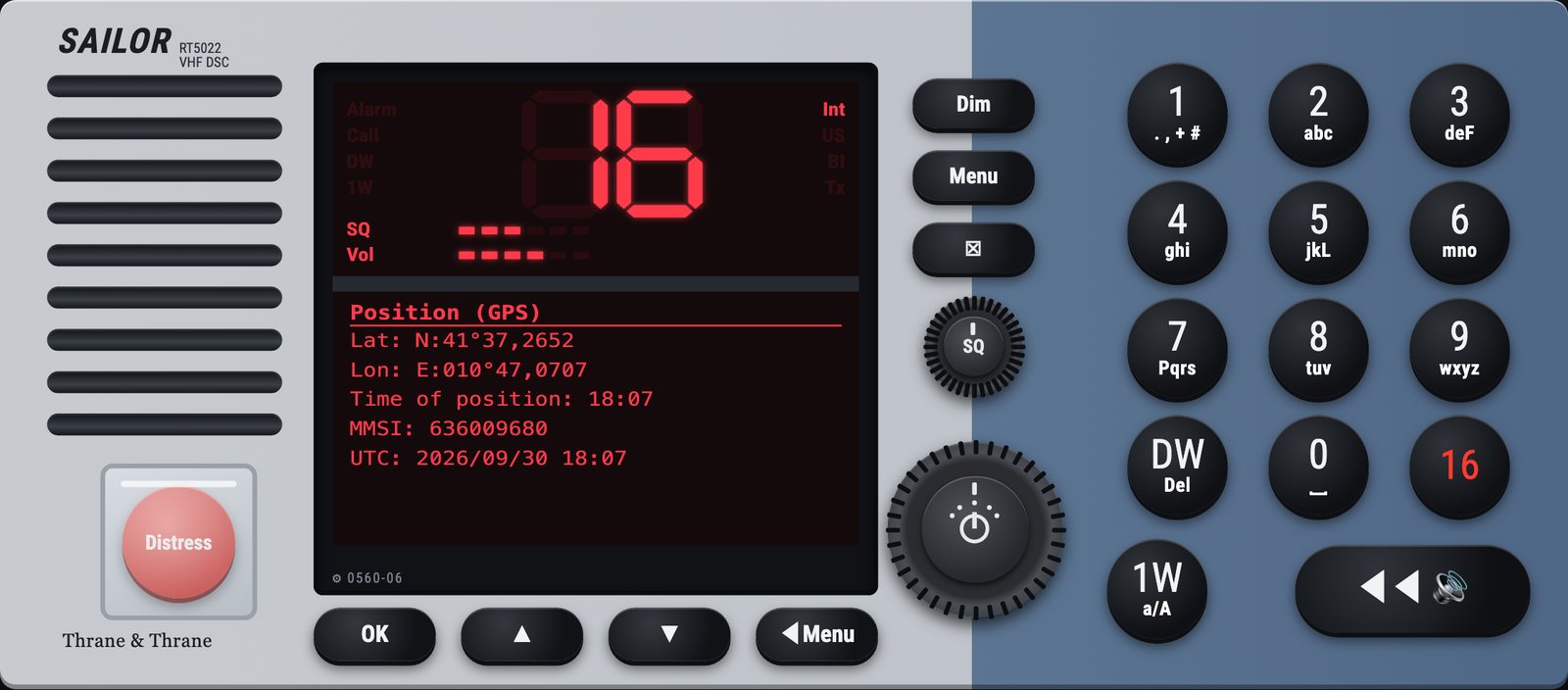
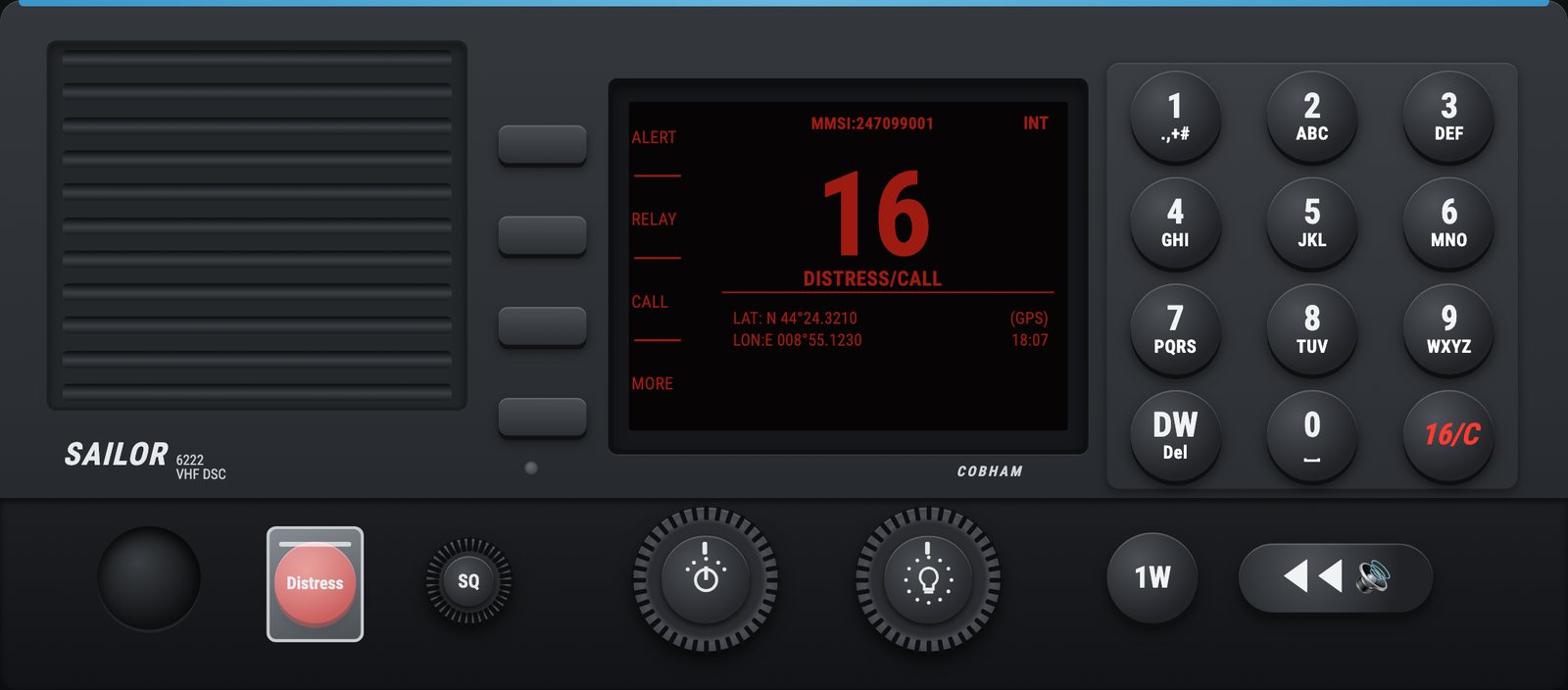
SAILOR RT5022 VHF DSC simulatorSAILOR 6222 VHF DSC simulator

VHF DSC · Class A

SAILOR RT5022 and SAILOR 6222

The RT5022 is the radio students find in the exam room: red display, ALERT, RELAY and CALL soft keys, alphanumeric keypad, knobs and a distress cover that lifts with a click. The 6222 is the modern version with two selectable firmware releases, so whoever learns on the new radio finds the same menus as the old one. Individual, group and all-ships calls, distress with nature and position, relay, reception with acknowledgement, call log, scanning and dual watch, all with the documented sounds.

Open the VHF simulator
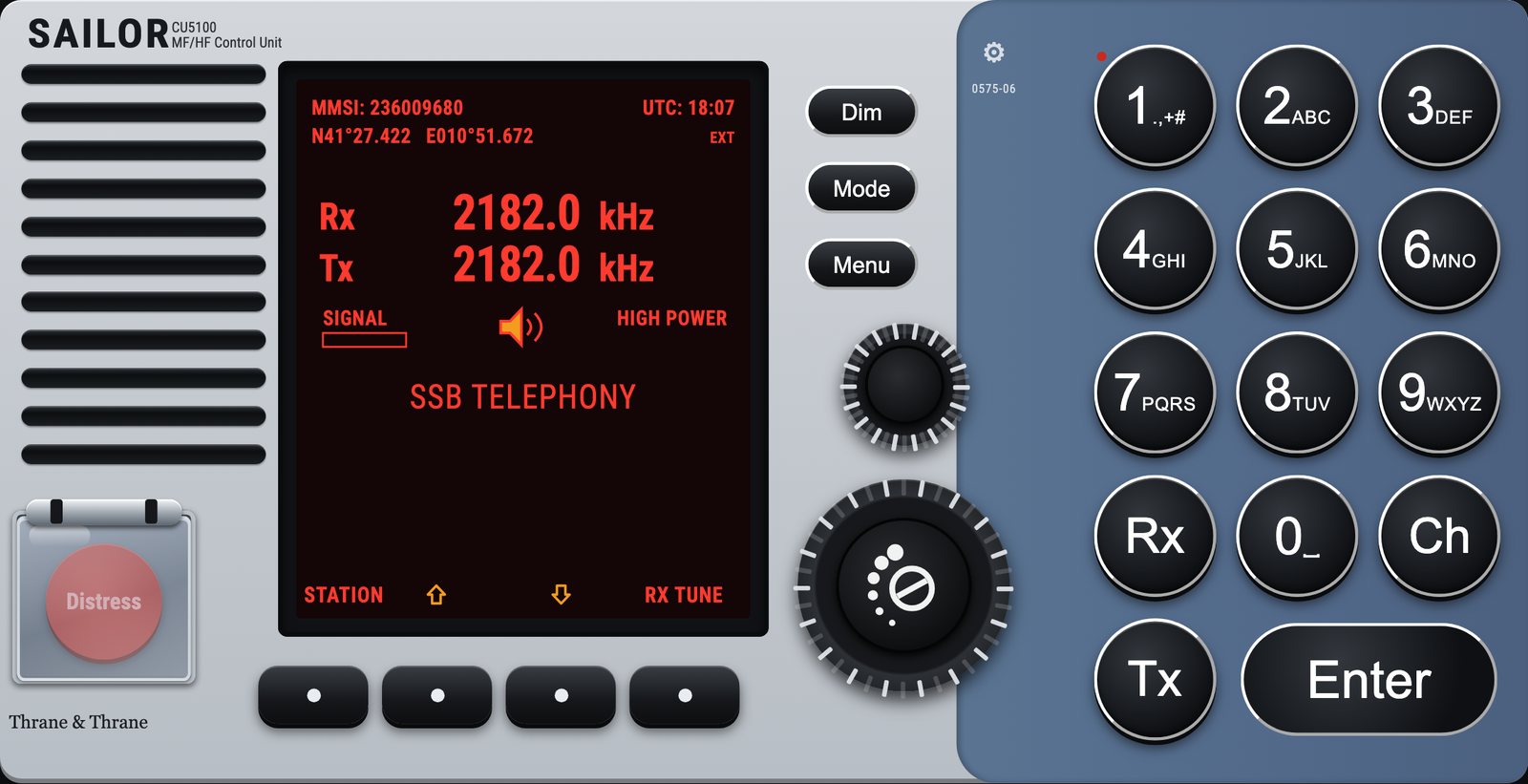
SAILOR CU5100 MF/HF DSC simulator

MF/HF DSC · System 5000

SAILOR CU5100

The System 5000 control unit with its red-on-black display, the four soft keys aligned with the menu items, the tuning knob and the volume knob. SSB telephony, DSC on 2187.5 kHz and on the HF frequencies, distress with nature and subsequent communication, individual calls with working frequencies, scanning of the six watch frequencies, stored coast stations, ITU channels. The windows reproduce the figures of the manual and the photographs taken during the course.

Open the MF/HF simulator
Inmarsat-C TT-3606E Capsat simulator

Inmarsat-C · Capsat

SAILOR TT-3606E with TT-3020C

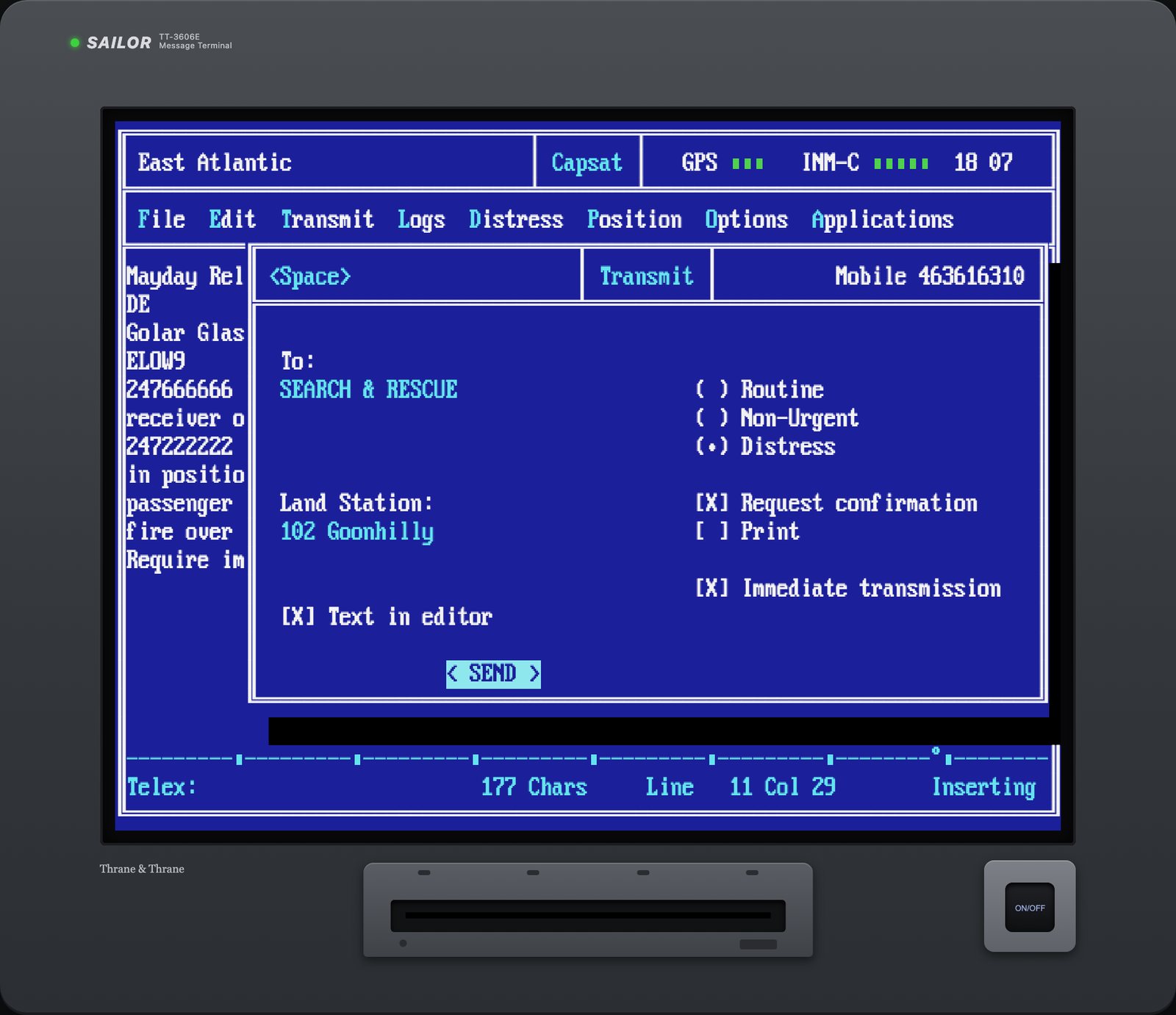
The Message Terminal in text mode, blue and cyan, with the Capsat software reproduced window by window: File, Edit, Transmit, Logs, Distress, Position, Options and Applications menus, Telex editor, address book, coast station list, Transmit Log with the status of each transmission, reception of messages and EGC SafetyNET with the alarm boxes, the Setting Distress Alert window with Alt+D and the physical button on the transceiver with its five indicator lights. The keyboard works on Windows and on Mac, with the key guide always at hand.

Open the Inmarsat-C simulator
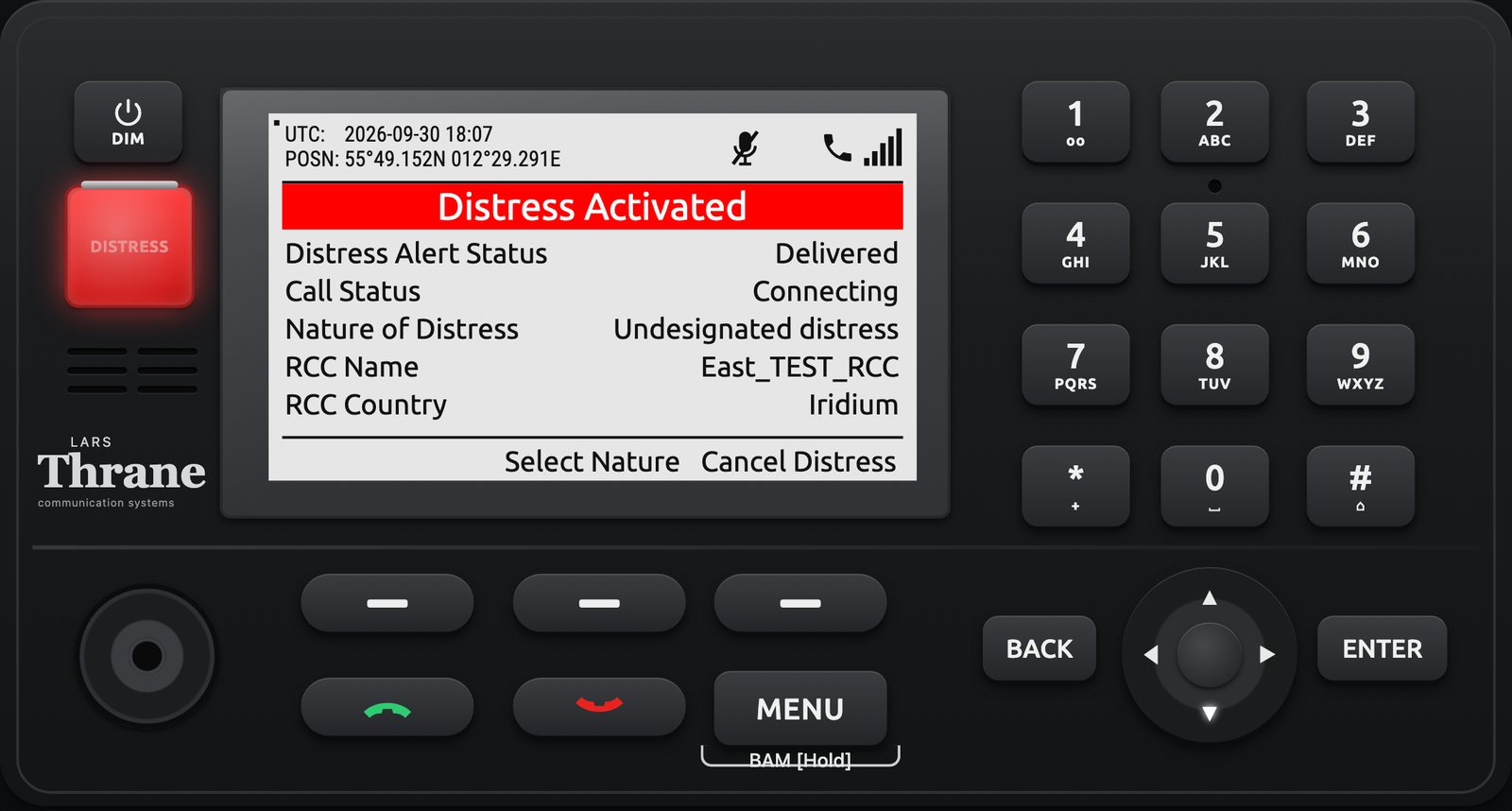
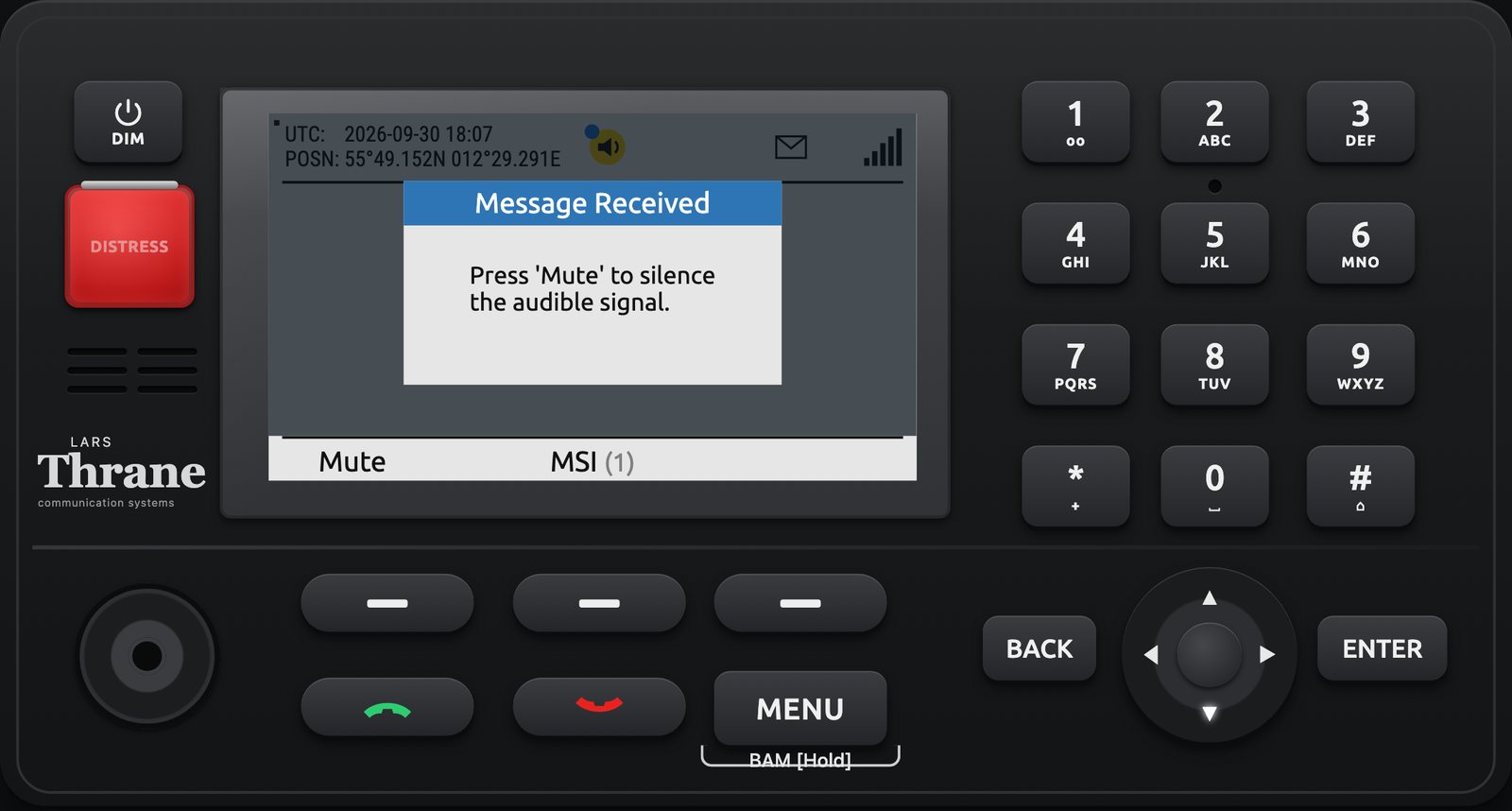
Lars Thrane LT-3100S Iridium GMDSS simulatorMSI reception on the LT-3100S

Iridium GMDSS · Sea Area A4

Lars Thrane LT-3100S

The LT-3110S Control Unit with its colour display, joystick, keypad and the DISTRESS button under its cover. Distress Alert and Distress Call with the Sending, Sent, Delivered, Connecting, Call active and Acknowledged sequence, choice of nature, Safety Call and Safety Message with priorities, two-digit codes, MSI SafetyCast with Distress Alert Relay, Bridge Alert Management with the alert icons and states, manual position, Terminal Test. All rebuilt from the one hundred and eighty-three screens of the official manual.

Open the Iridium simulator
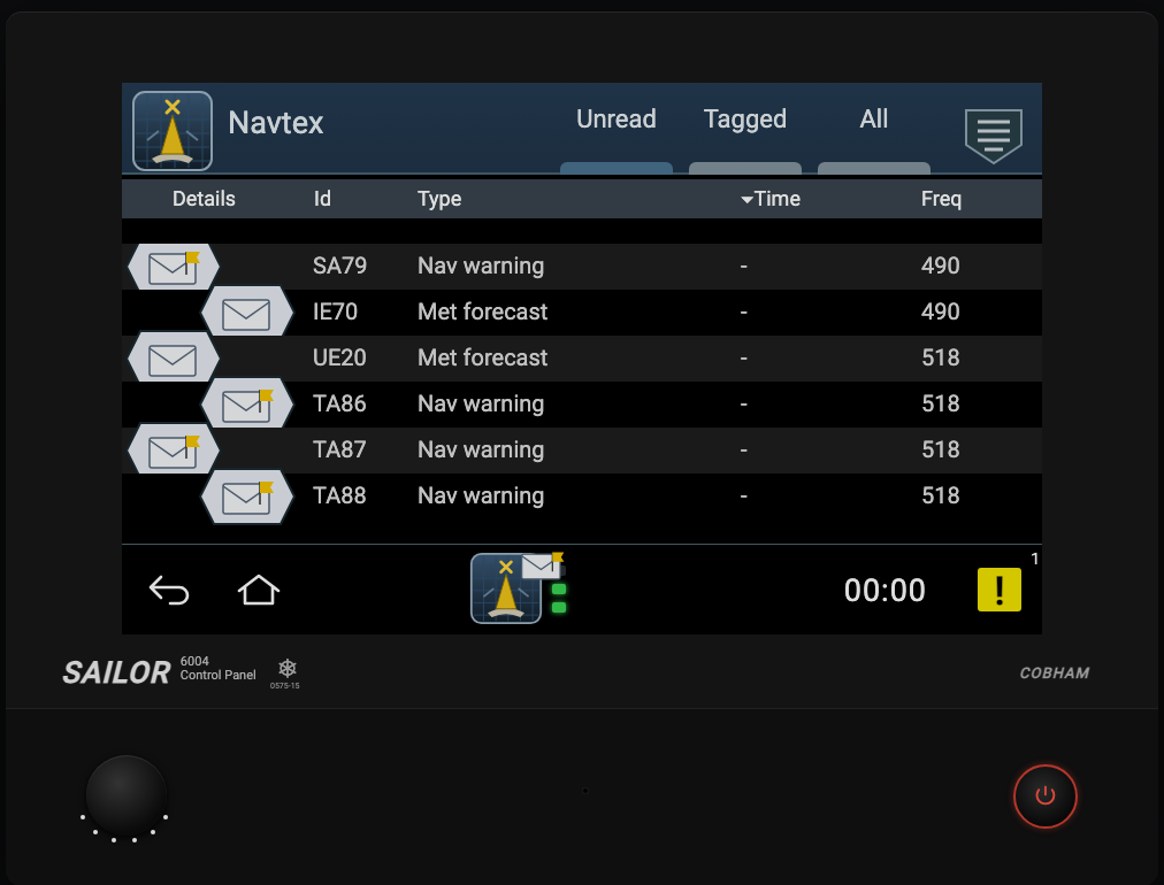
NAVTEX SAILOR 6391 simulator with SAILOR 6004 panel

NAVTEX · 518, 490 and 4209.5 kHz

SAILOR 6391: 6390 receiver and 6004 panel

The NAVTEX of the exam room, operated from the SAILOR 6004 touch panel just like the real one: the HOME screen with the Navtex and System icons, the Unread, Tagged and All lists with the Details, Id, Type, Time and Freq columns, the open message with its text and the details of station, frequency, type, serial number, error rate and corrupted characters, the tag that protects a message from deletion, the station and message-type filters on each frequency with the A, B, D and L categories that cannot be excluded, the SAR popup and alarm, the alert list with ACK, the System menu. Messages come from the generator with the real NAVAREA III stations and from ready-made scenarios: navigational warning, forecast, gale warning, SAR, man overboard, duplicate, reception with errors, station not selected.

Open the NAVTEX simulator
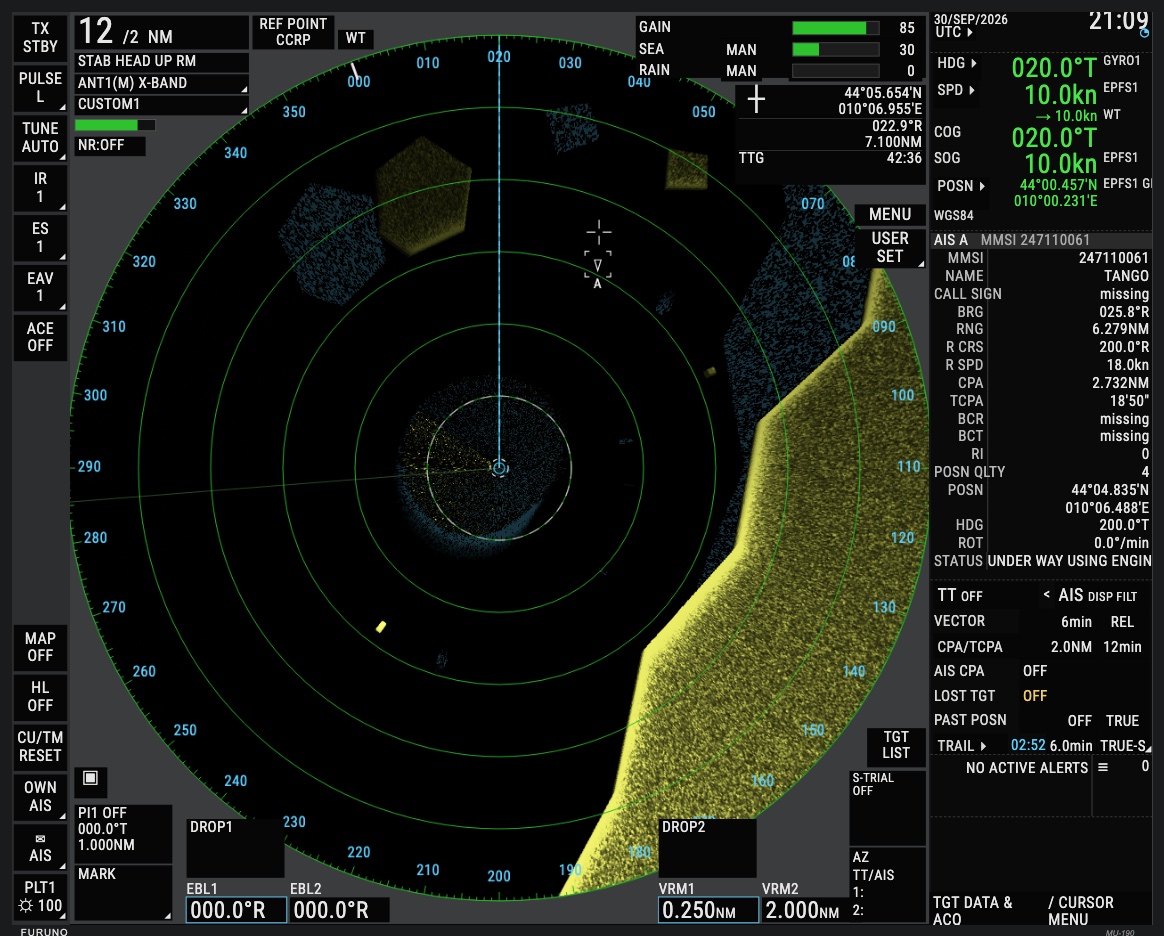
FURUNO FAR-2228 RADAR/ARPA trainer with RCU-014 control unit

RADAR / ARPA · X-band

FURUNO FAR-2228 with RCU-014

The bridge radar, rebuilt from the official operator's manual: the PPI with coastline, ships, buoys, sea and rain clutter generated in real time, GAIN, A/C SEA and A/C RAIN controls that genuinely change the picture, Head-up, Course-up and North-up modes in relative and true motion, EBL, VRM, parallel index lines and trails, ARPA target tracking with vectors, CPA and TCPA, acquisition zones, AIS and trial manoeuvre. The world of ships runs on the server: the instructor drives the scenario from the desk, every student has their own radar.

Open the radar trainer

How it works

Instructor panel

Under each device there is a console from which the instructor injects external events: an incoming DSC call, a distress relay, an urgent EGC message, loss of GPS, an antenna fault, the acknowledgement of a coast station. The student watches the device react as it would on board, and the timed trace records every action.

Verified fidelity

Every screen is compared with the figures in the manuals and with photographs of the units in the exam room. The procedures are covered by hundreds of automated tests that replay the manual's sequences step by step, and every version goes through an independent review before release.

Sounds and alarms

The two-tone distress signal, the countdown beeps, the reception alarms and the ringers are synthesised from the documented patterns and can be replaced with recordings of the real equipment.

Anywhere, nothing to install

The simulators run in the browser of a computer, a tablet or the classroom's interactive whiteboard. Mouse, touch and keyboard are equivalent, and for Inmarsat-C there is a key map for Windows and for Mac.

For maritime schools and training centres

Rent the simulators for your courses

The six simulators are available for rent for the length of a course, a school year or on a continuous subscription. The rental includes access to the simulators from every workstation in the classroom, the instructor panel, updates and onboarding support. On request we prepare guided exercises with the exam scenarios and a customised version carrying the name and details of your school.

The service is provided by Universo GMDSS Italia, which has prepared students for the GMDSS certificate examinations for years. Write to us in English or Italian and we will reply with a tailored proposal.

Frequently asked questions

What schools ask us before renting the simulators.

Do students really learn to operate the exam equipment with these simulators?

Yes, because they are not videos or static screenshots but working replicas. The student presses the same keys, turns the same knobs, lifts the same distress cover and reads the same menus they will find on the SAILOR RT5022, the CU5100, the Capsat terminal and the LT-3100S on exam day. Every procedure is rebuilt from the manufacturers' official manuals and checked against photographs of the equipment in the exam room, and the instructor panel lets you repeat the exercises until the sequence becomes automatic.

Can the simulators be used together, on several workstations, in the same classroom?

Yes. The access code is valid for all the simulators and for every workstation in the classroom: each student opens them in their own browser, each in a separate tab, and works independently of the others. The instructor can project one device on the interactive whiteboard while the students repeat the same procedure at their desks, or assign different exercises to different workstations, for example a VHF distress on one side and the reception of an EGC message on the other.

Do I need to install anything or a special computer?

No. The simulators run in a recent browser, Chrome, Safari, Firefox or Edge, on Windows, Mac, Linux, tablets and interactive whiteboards, with no installation and no plug-ins. An ordinary internet connection is enough. Mouse, touch and keyboard are equivalent, and for the Inmarsat-C terminal there is a key map for Windows and for Mac.

How does the rental work and how long does the access code last?

Write to info@gmdssitalia.it with the name of the school, the equipment you are interested in and the period of the course. Universo GMDSS Italia replies with a proposal and, on confirmation, sends an access code valid for the agreed hours, for the length of a course, a school year or a continuous subscription. The code activates on first use and is valid for every simulator and every workstation; when it expires you simply request a new one. The rental includes the instructor panel, updates and onboarding support.

Is the equipment the same as in exam rooms outside Italy?

The simulated devices are the standard GMDSS equipment used in exam rooms and on board across Europe: SAILOR VHF and MF/HF, Inmarsat-C Capsat, Lars Thrane Iridium, SAILOR NAVTEX and FURUNO radar. Their menus and procedures are in English, exactly as on the real units, so students see what they will meet at their own examination. The instructor and practice panels are currently in Italian; an English version is being prepared.

Contact

For information about the simulators, the courses and rental, write to info@gmdssitalia.it. The courses website is gmdssitalia.it.